
Make Codice Fiscale required and validated at checkout.
Prevent Italian orders without a formally valid Codice Fiscale. Set separate rules for the tax code and PEC, and test them before activation. No code or Shopify Plus needed.
14-day trial · No theme changes
It’s Shopify’s own field. We use Shopify’s native Italian checkout tax fields.
Your theme stays as it is. No code to paste and no fields to add to your theme.
It works on standard plans. Basic, Grow, Advanced and Plus.
See CF Ready before you install it
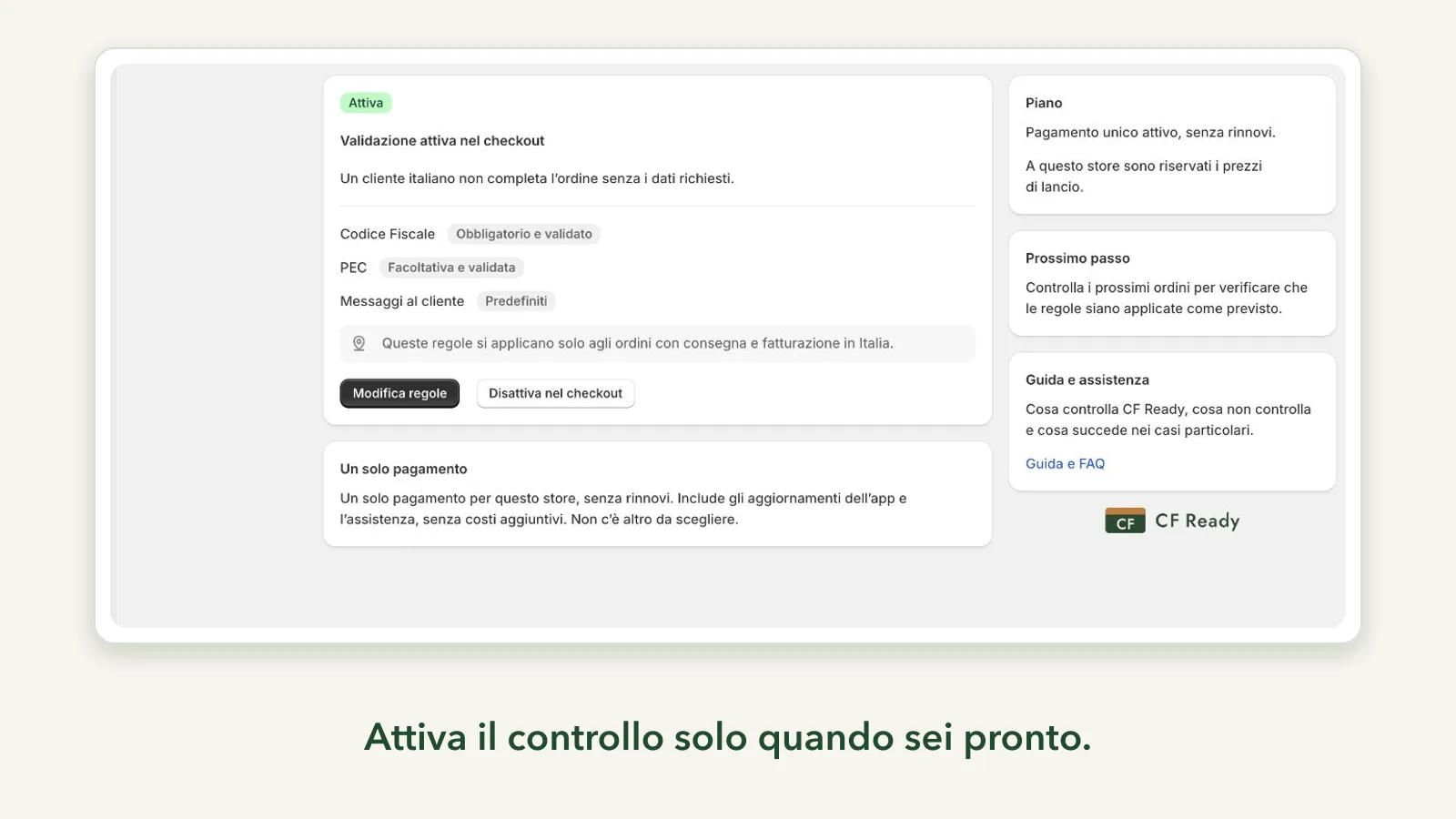
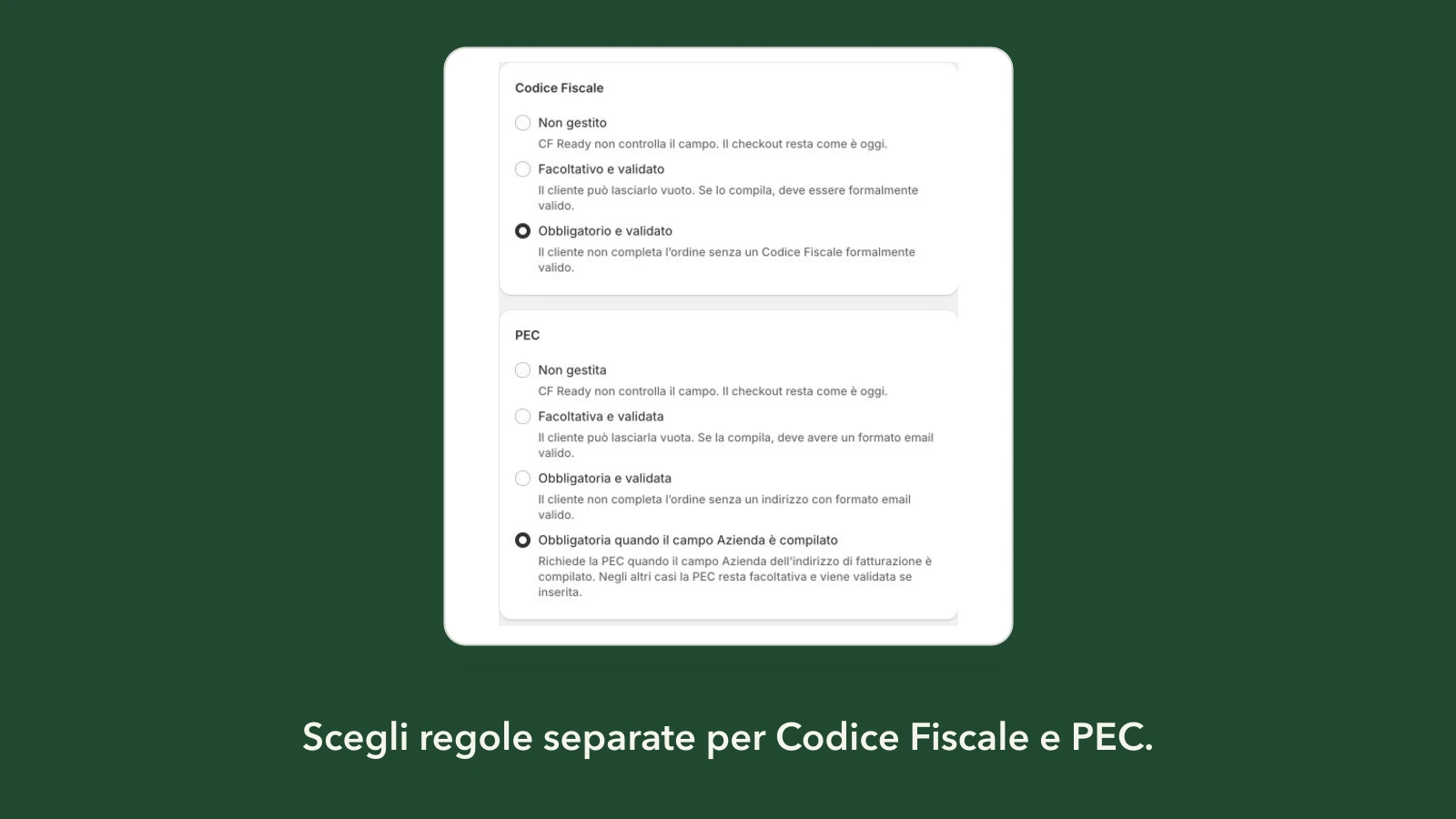
Separate settings for Codice Fiscale and PEC
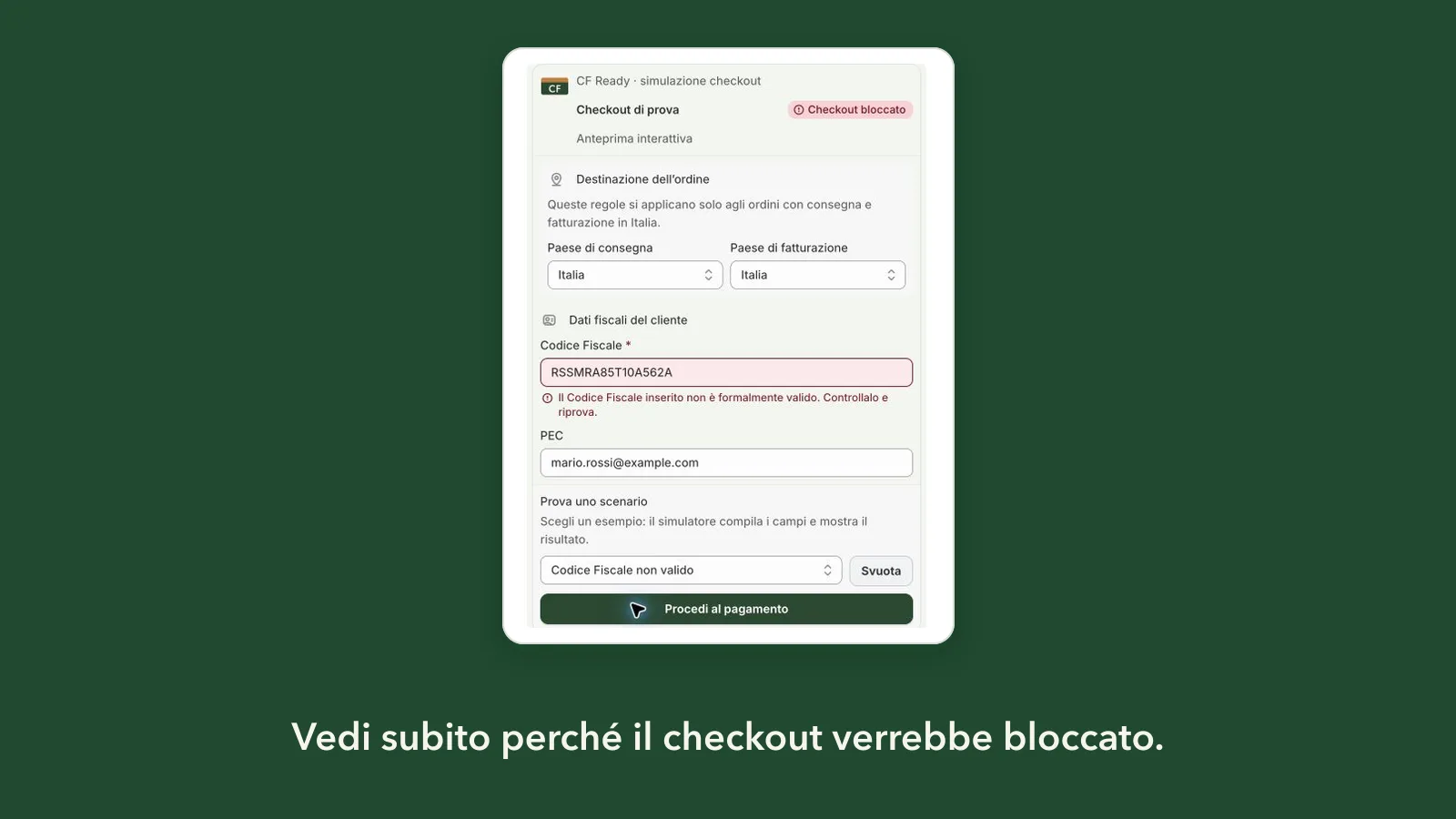
Checkout rules simulator
Collect the tax code at the right time
Shopify’s native field is optional. CF Ready lets you require it and validate its format at checkout, so customers can correct it before completing their order.
No extra theme fields and no repurposing “Interno”. Rules work with the existing Italian tax fields, with the limitations described below.
From installation to checkout in three steps
-
Install it
From the Shopify App Store, even if the store is based outside Italy.
-
Decide what to ask for
Codice Fiscale has three independent modes; for PEC, you can also require it only when the customer fills in Company. Configure your rules and messages, then try them in the simulator.
-
Activate at checkout
Saving rules does not activate the check: you activate it when you are ready. Shopify runs validation during checkout in the cases described below.
A message you wrote
Use the default messages or customize them in Italian and English. CF Ready checks data during checkout, tells customers what to correct, and checks required fields before the order is completed.
Counting characters isn’t enough
CF Ready checks length, structure, date, municipality-code format and check character. It also accepts formally valid omocodia and provisional codes.
Standard code
Sixteen characters: the letters from surname and first name, the date of birth, the gender marker, the town code and the final check character.
Omocodia
When two people would end up with the same code, some digits become letters. Those codes are valid, and they’re accepted.
Provisional code
Eleven digits with the correct check digit, the form used by people who don’t have a standard tax code yet.
Dates that don’t exist
31 April and 30 February are turned away even when everything else in the code looks right.
PEC address
We check the address is written in a valid shape, subdomains included.
Separate rules for each field
Codice Fiscale and PEC can be optional or required. For PEC, the requirement can follow the Company field.
Whoever shouldn’t be blocked, isn’t
- Order heading abroad: no check.
- Foreign billing details, even if you deliver or hand over in Italy: no check.
- Store pickup: checked when the fields are present. Mixed orders: checked if at least one delivery is Italian.
- Required field not shown by Shopify: blocks the order if there is a delivery in Italy. If the delivery country is missing, the absent field does not block it, unless you turn on the option for orders without shipping.
- Technical fault, trial over or plan inactive: the checkout stays open.
What CF Ready doesn’t do
It doesn’t check the registry
We check how the code is written, not who it belongs to. We don’t ask the Italian Revenue Agency, and an address written correctly isn’t necessarily a PEC mailbox that actually works.
It doesn’t decide for you
Whether and when you must collect the tax code is between you and your accountant. The app doesn’t decide it and doesn’t replace professional advice.
No electronic invoicing
We don’t issue invoices, don’t send them to the Italian exchange system and don’t store them. VAT numbers and SDI codes aren’t handled.
Subscriptions and POS
The check works at checkout. Automatic subscription renewals happen later, and it doesn’t reach them. In POS it doesn’t step in.
What your customers type stays in Shopify
Validation runs inside Shopify during checkout: customer tax codes and PEC addresses don’t reach CF Ready, and the app doesn’t read orders, customers or products. The details are in the Privacy Policy.
Every feature.
No order limits.
Fourteen days to make up your mind
The free trial lasts 14 days, once per store, with every feature and no automatic charge when it ends. Then choose monthly, annual or a one-time payment for this store without renewals.
What changes is when you pay, not what you get: no order limits, no features held back for whoever spends more. The current price is on the App Store and inside the app when you choose, and the charge always lands on your Shopify invoice.
Understand Shopify’s Italian checkout tax fields
- How to require Codice Fiscale at Shopify checkout
Native field, separate rule and error behaviour.
- Shopify’s native Italian tax fields
Codice Fiscale and PEC, without adding theme fields.
- Why not use Address 2 for Codice Fiscale
Duplication, maintenance and checkout confusion.
- What formal Codice Fiscale validation means
Format, omocodia, dates and the boundary with identity checks.
Before you install
Do I have to touch my theme?
No, and neither do we. CF Ready works on the field the Italian checkout already has, through Shopify’s own validation mechanism. If you uninstall one day, nothing is left behind in your theme.
Can I remove “(optional)” from the Codice Fiscale when I make it required?
Yes, even for the Codice Fiscale alone, leaving PEC as it is. CF Ready can update the label automatically. If the automatic update doesn’t work, or you prefer text such as “Codice fiscale (obbligatorio)”, you can change it manually in Shopify’s checkout text editor by following the steps shown in the app. The required check works either way, even before you change the label.
Does it work with my Shopify plan?
Yes, on Basic, Grow, Advanced and Plus, for stores based in any country. Rules apply to deliveries in Italy, except orders with a billing address outside Italy.
Can it block valid orders?
No. With a delivery in Italy and no foreign billing address, CF Ready blocks the order only when a required field is empty, invalid or not shown by Shopify. If the delivery country is missing, it checks only the fields that are present, unless you turn on the option for orders without shipping. If the app has a technical problem, the checkout stays open.
Can I require PEC only when the customer fills in Company?
Yes. PEC becomes required when the Company field in the billing address is filled in. Otherwise it stays optional, and CF Ready still checks its format when entered.
Is the tax code really verified?
Validation is formal, not a registry check. CF Ready checks structure, date and check character, but does not consult the Italian Revenue Agency or confirm that the code belongs to the customer.
What if I stop paying?
The checkout goes back to how it was and no order gets stopped. Your rules and messages stay where you left them, so if you switch it back on there’s nothing to redo.
Who answers if something goes wrong?
The person who wrote the app, in person. No call centre, no bot: it’s all on the support page.
Try it on your store
A 14-day free trial with all features. No automatic charge after the trial and no theme changes.