What happens at checkout
The customer enters an 11-digit numeric code or an omocodia code in the Codice Fiscale field of the Italian checkout. When they leave the field, the error “Inserisci un Codice fiscale (facoltativo) valido” appears and the button that completes the order does not proceed. In our tests no order was created with a numeric code.
The check belongs to Shopify. It runs even with CF Ready’s rules turned off and before any app. The message text cannot be changed in the checkout content editor, which only offers the field label. Even when the field is optional, a value written in one of these forms blocks the order; an empty field still passes.
Which Codice Fiscale codes are affected
- 11-digit numeric codes. This is the Codice Fiscale of companies, associations and public bodies, and the format of the temporary code.
- Omocodia. When two people would get the same code, some digits are replaced by letters. The code stays valid, but it no longer follows the fixed pattern of letters and digits that Shopify’s field expects.
These are real, formally correct codes. A customer who sees the error with one of them has not made a typing mistake.
What we verified
The tests on 6 November 2026, run on real checkouts with CF Ready’s rule turned off, show a check on structure alone: six letters, two digits, one letter, two digits, one letter, three digits and one letter, ignoring case and spaces.
Under this rule Shopify also accepts ordinary codes that are not valid. It rejects codes of 15 or 17 characters, codes with an IT prefix, numeric codes and omocodia. A further test the same day, in the checkout of a live store with CF Ready active, gave the same result for numeric codes and for a correct omocodia code.
We found no Shopify announcement about this change. We reported it to Shopify Support the same day, with the evidence we collected. We do not know the cause or the timing of any change.
What CF Ready does with numeric codes and omocodia
CF Ready still treats formally correct numeric codes and omocodia as valid. Shopify’s rule is undocumented and can change: this way CF Ready does not reject correct codes on the day Shopify starts accepting them again.
CF Ready cannot make Shopify’s field accept a value the field rejects, because that check belongs to Shopify. For other codes nothing changes: CF Ready runs a formal Codice Fiscale check and also flags the errors Shopify’s field lets through.
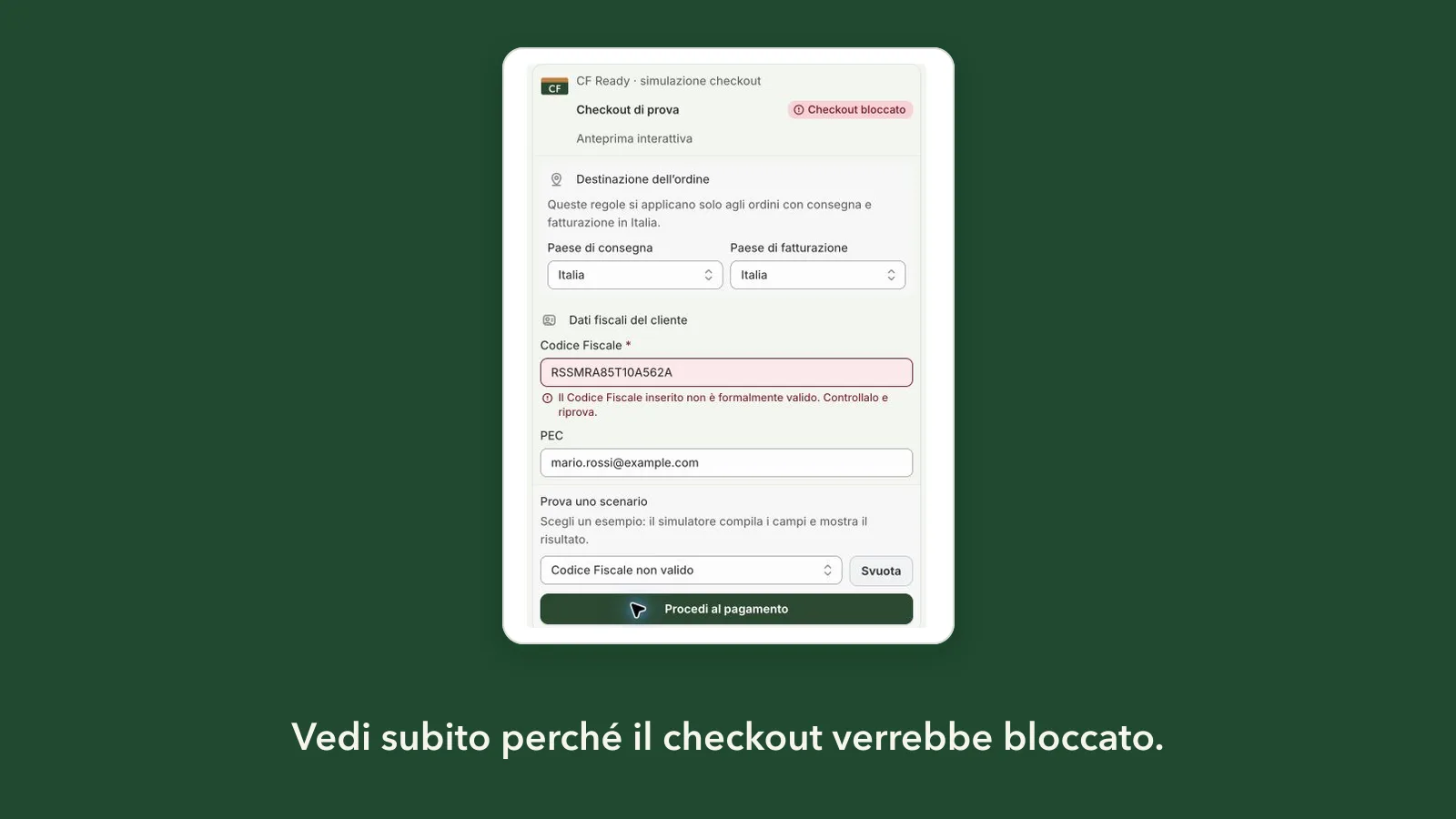
When you test a value in the app’s simulator that CF Ready accepts and Shopify’s field rejects, the result says so on the field. Use synthetic examples, not customers’ codes.
What merchants can do today
Start from who buys in your store. If you sell to companies or public bodies, or a customer reports the error, decide with your accountant how to handle these cases.
- With Codice Fiscale required at checkout, a customer who only has a numeric or omocodia code cannot complete the order. With the field optional, they can leave it empty.
- If it fits your case, give customers a channel to send you their Codice Fiscale after the order, such as your support email.
- Explain the limit on your store’s help or FAQ pages, so customers know whom to contact.
Avoid asking for the code in Address 2 or another address field: the value would sit in a field with a different meaning, as the guide on Codice Fiscale in Address 2 explains.
What customers can do
Customers can contact the store and ask how to send their code. They should not use someone else’s code or a made-up code to get past the check: the store needs the value for its records, and that value would be wrong.
Frequently asked questions
Does the “Inserisci un Codice fiscale (facoltativo) valido” error come from CF Ready?
No. “Inserisci un Codice fiscale (facoltativo) valido” is a Shopify message. It appears even with CF Ready’s rules turned off, and it cannot be changed in the checkout content editor.
If I turn off CF Ready, will a numeric Codice Fiscale go through?
No. The tests on 6 November 2026 were run with CF Ready’s rule turned off, and Shopify’s field still rejected numeric codes and omocodia.
When will Shopify accept these codes again?
We do not know. The behaviour was reported to Shopify Support, which has not stated a cause or a timeline so far. We will update this guide when something verifiable changes.
Can I test these cases before activating my rules?
Yes, in the app’s simulator with synthetic examples. With a formally valid numeric code or omocodia, the result shows that CF Ready accepts it and that Shopify’s field currently rejects it.