The native PEC field
PEC, Italy’s certified email, uses one of Shopify’s native tax fields, separate from the order email and from Codice Fiscale. Shopify decides when to show it at checkout: CF Ready does not create it, add it to the theme or repurpose Address 2. In the standard setup the field is optional, and customers can complete the order with it empty.
CF Ready checks this field at checkout, with a rule independent from the Codice Fiscale rule.
Optional or required PEC
In the app, choose how to handle PEC: leave it as it is today, make it optional with a formal check, or require it from every customer or only from customers who fill in the Company field. In that last case, other customers can leave it empty. Rules apply to orders with delivery and billing in Italy.
Codice Fiscale has its own rule. You can combine them as you like: for example Codice Fiscale required for everyone and PEC required only from businesses.
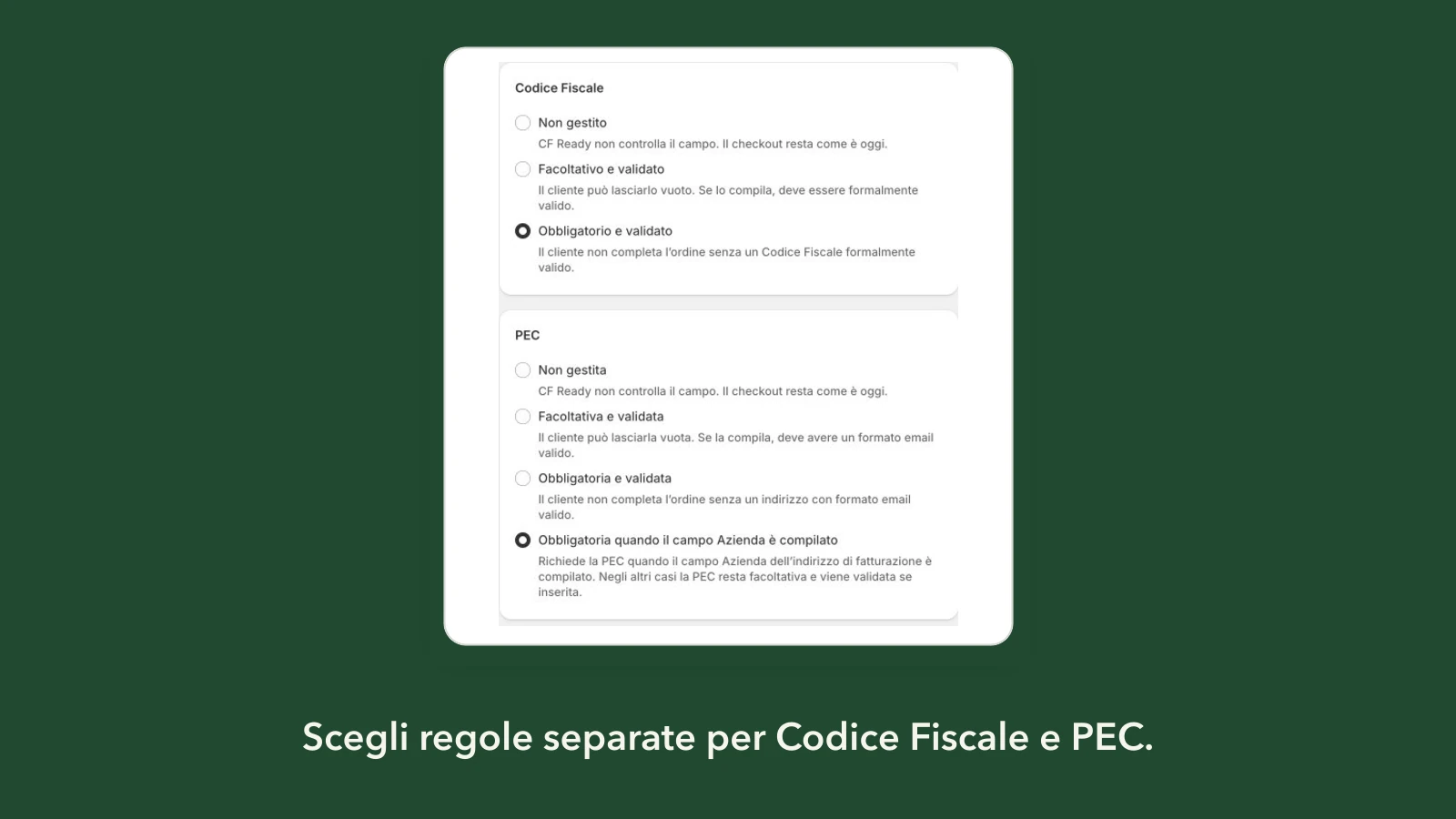
You decide with your accountant whether and when to collect PEC: CF Ready lets you ask for it at checkout, it does not determine the tax treatment of the order.
The formal PEC check
When the customer fills in PEC, CF Ready runs a formal check on it. If the address is not valid, the customer sees the message you chose, in Italian or English, and fixes it before confirming the order.
The check does not verify that the mailbox exists or is registered as PEC. A well-formed address is not necessarily an active PEC mailbox. If your store often receives ordinary emails instead of a PEC, say so in the message you choose for the field, for example by reminding customers that the company’s PEC address is needed.
What stays out of scope
CF Ready handles only Codice Fiscale and PEC. It does not handle VAT numbers or SDI recipient codes, and it does not issue invoices or send them to SDI. It runs a formal check, not an identity check, and does not keep customer data. If you need VAT numbers or SDI codes, look at the invoicing tools you already use.
How to require PEC from business customers
- In the app, choose the PEC rule.
- Choose the Codice Fiscale rule separately.
- In the simulator, try a business customer without PEC and a badly written PEC.
- Save the rules, then activate the check: they are two separate actions.
- Complete a test checkout as a business customer and as a private customer.
After the order you find PEC together with the Codice Fiscale on the order details page. If you want consistent addresses, the app can standardize upper and lower case in orders.
Frequently asked questions
Does this rule make PEC required for every customer?
No. You can require it only from business customers and keep it optional for everyone else. When a customer enters it, it is still checked.
Does CF Ready check that the PEC mailbox exists?
No. The check is formal: it verifies that the address is written in a valid form, not that the mailbox is active or registered as PEC.
Can I require PEC without requiring Codice Fiscale?
Yes. Codice Fiscale and PEC have independent rules: you can leave Codice Fiscale unmanaged or optional and require PEC, or the other way round.